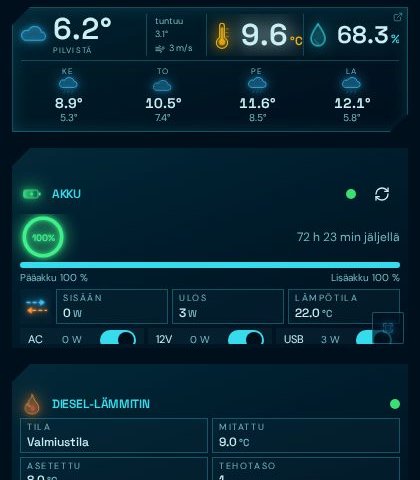
Energy
Remote-managed battery and auxiliary battery: power flows, runtime estimate and consumption analysis.
Camper control centre
Battery, heater, lights, fridge, weather and route — monitor and control them from an in-vehicle display, a wall screen or your phone. Built for the road: keeps working with the screen off and remembers where you've been.
All vehicle systems in one place with animated neon gauges.
Remote-managed battery and auxiliary battery: power flows, runtime estimate and consumption analysis.
Remote-controlled heater: target temperature with arrow buttons, running phase and calibrated fuel gauge.
Fridge control and wireless temperature sensors in the fridge or rear: temperature and humidity history.
Lights, LED strip, microwave and kettle through a remote-control hub, smart plugs and relays.
Predictive guidance, speed limits and a marine-plotter style track with stops.
Forecast, rain radar and indoor air measurements as charts.
Night and camp mode, level meter and a screensaver with the key readings.
AI analyses telemetry and suggests — you always make the decisions. AI features are included in PRO.
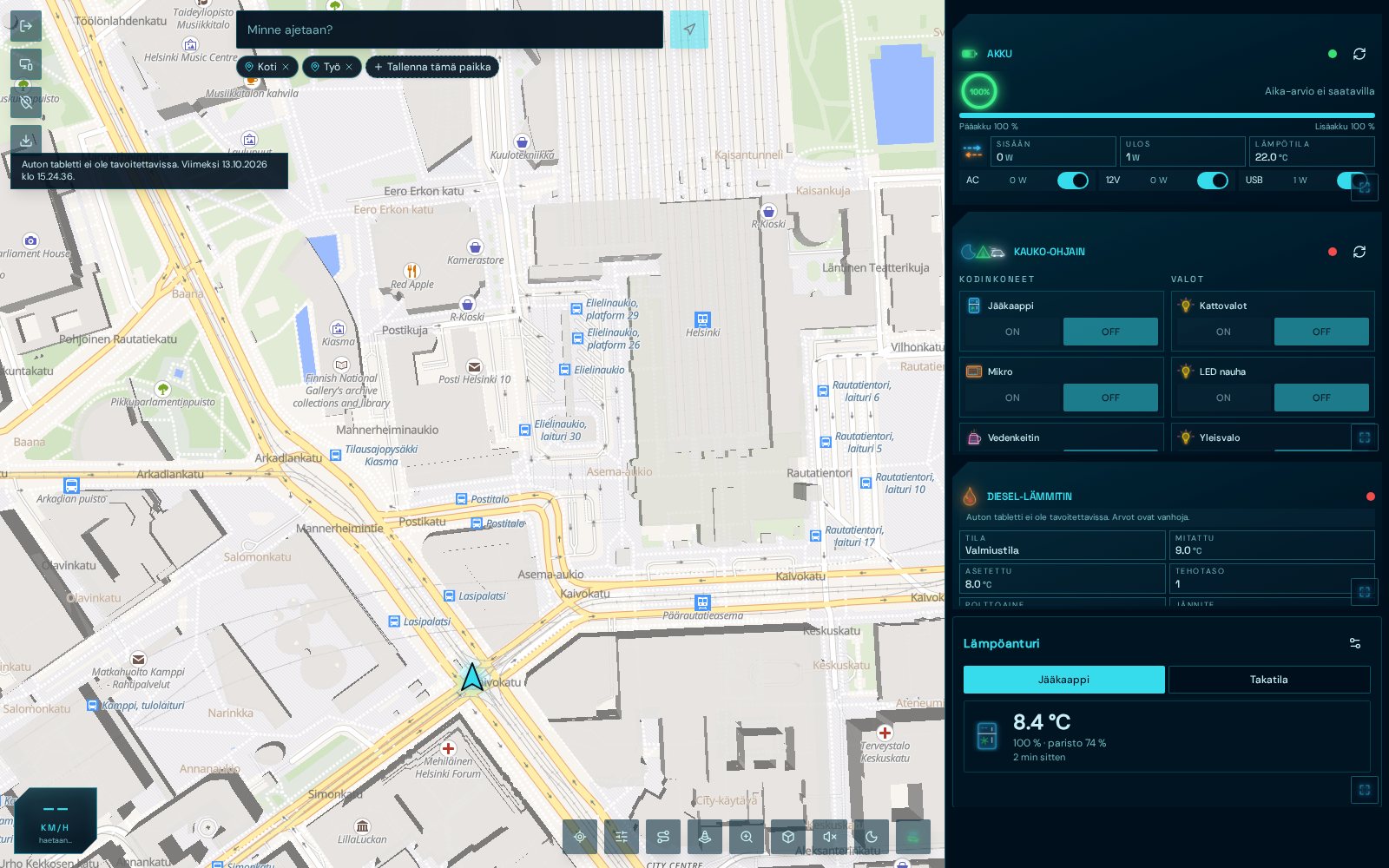
Tablet
Map, battery, remote control, heater and temperature sensor side by side. Devices are controlled through the in-vehicle bridge, remotely too.
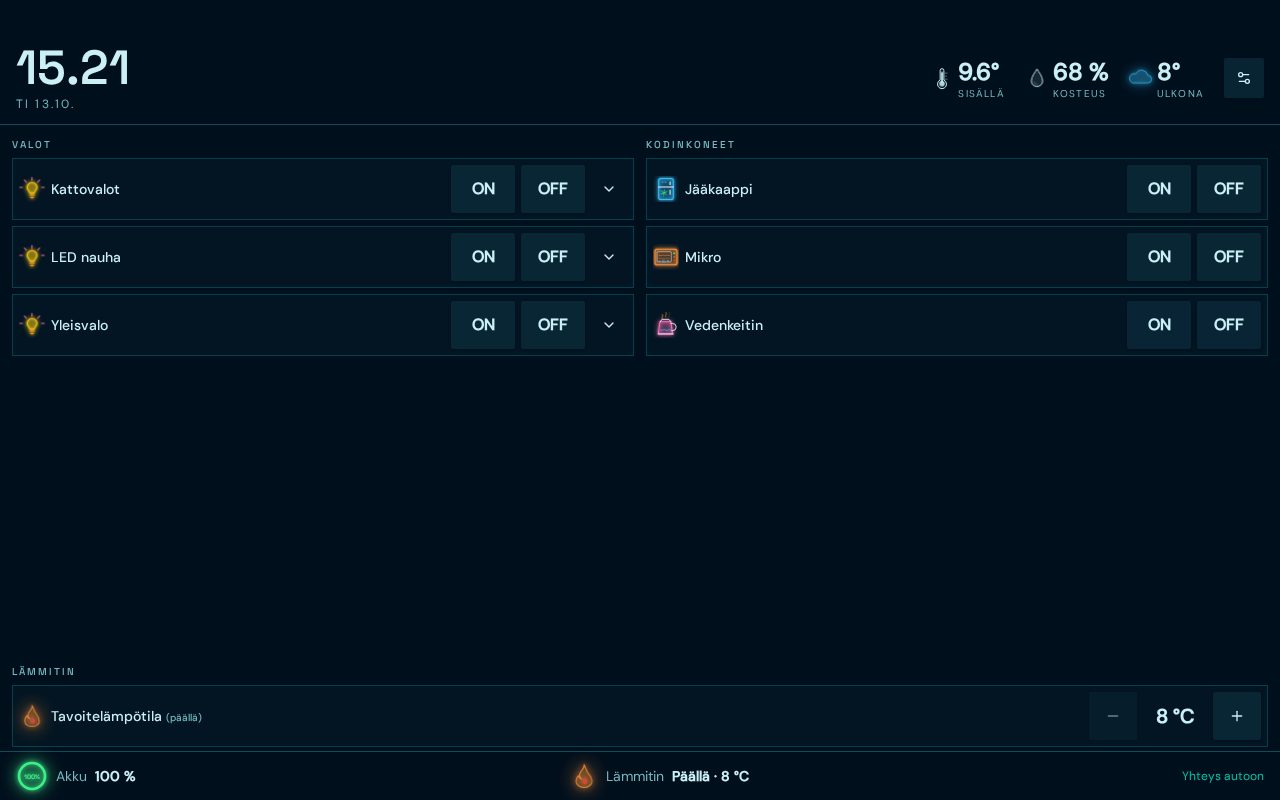
Wall display
Lights, appliances and heater target as clear ON/OFF buttons. A device that is on glows orange.
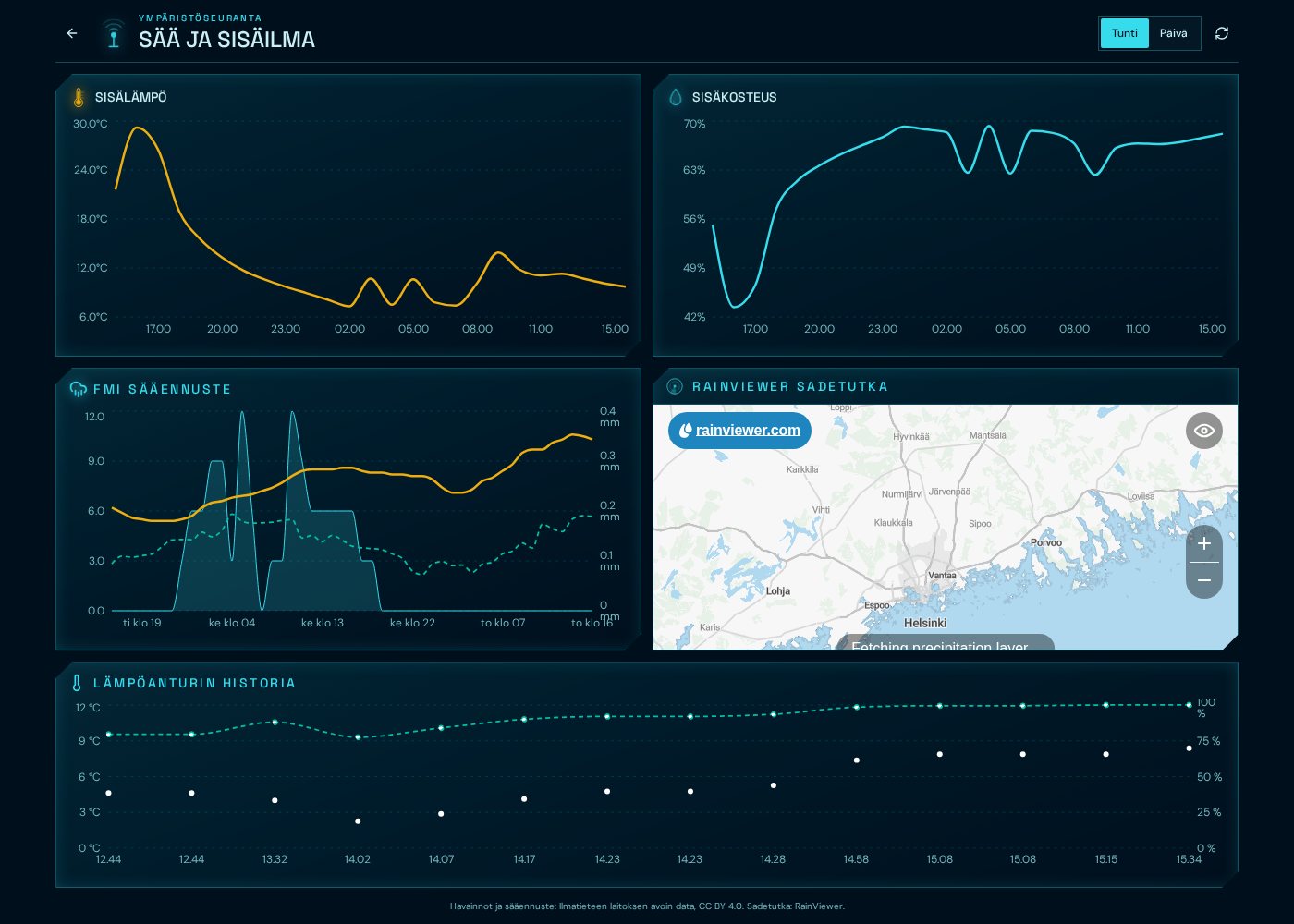
History
Indoor temperature, humidity, forecast, rain radar and the fridge's temperature cycle are saved in telemetry.
Camp mode
Camp mode gathers what you need when parked: levelling, overnight spots, automations, log and analysis. The images are real app screens (Finnish interface).
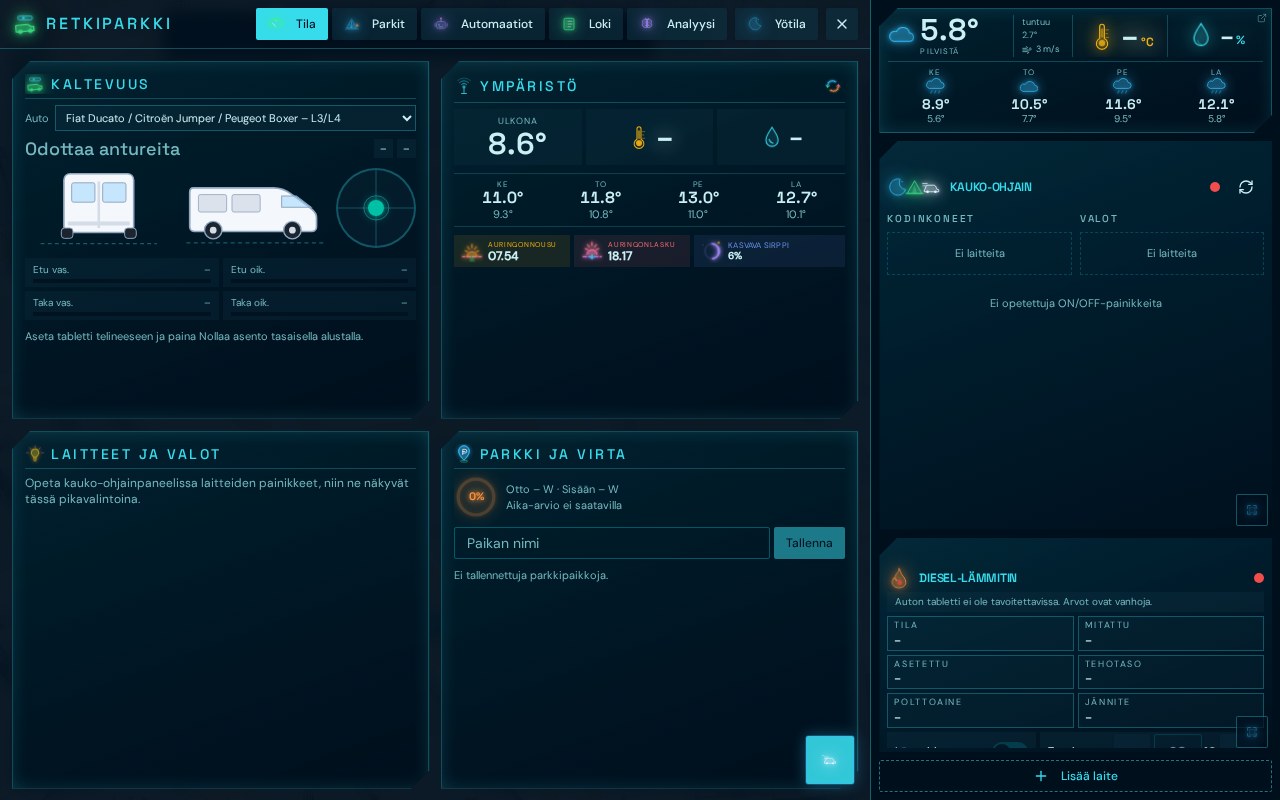
Levelling
The tablet's motion sensor measures pitch and roll. Pick your vehicle model and see how many centimetres of lift each wheel needs – e.g. Front left +2.4 cm, Rear right on ground.
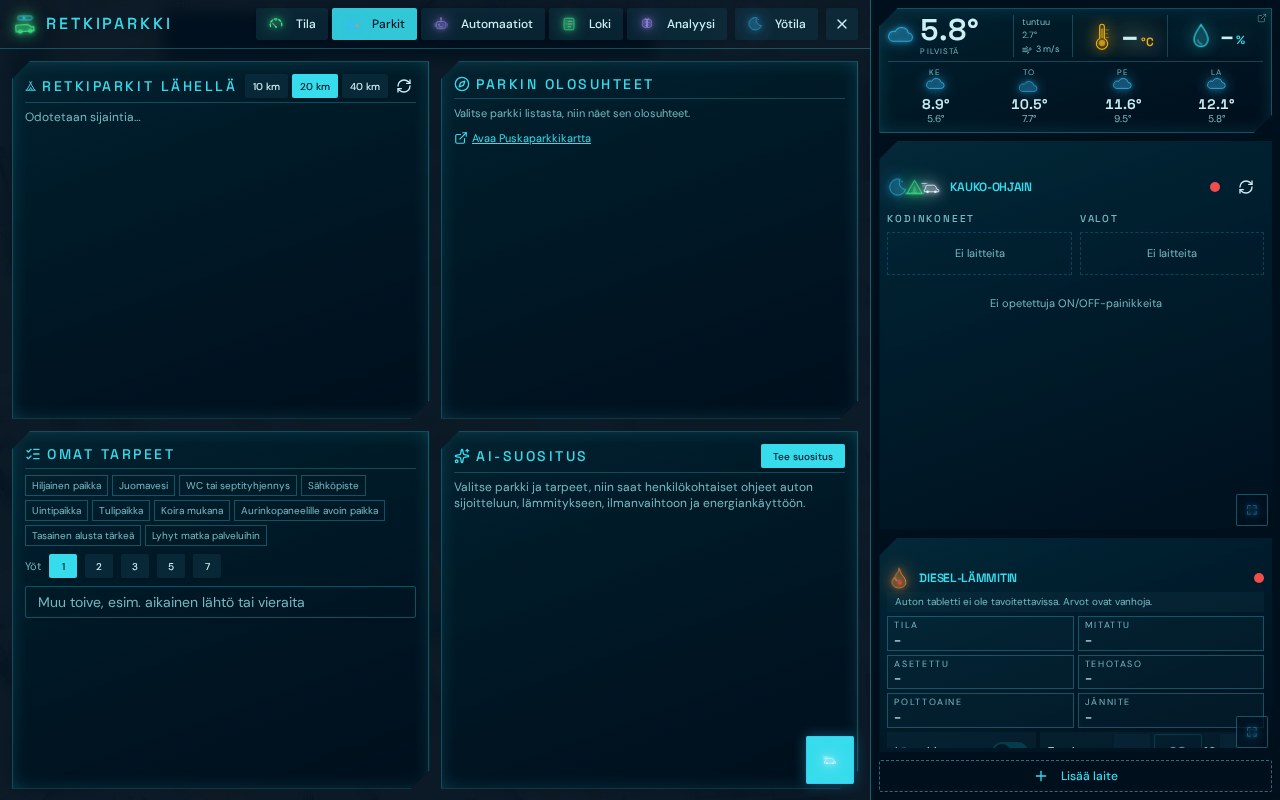
Camp spots
Save spots on the map with ratings and nights. Weather, wind, sunrise and sunset show instantly, and routes to the next spot use free map services.
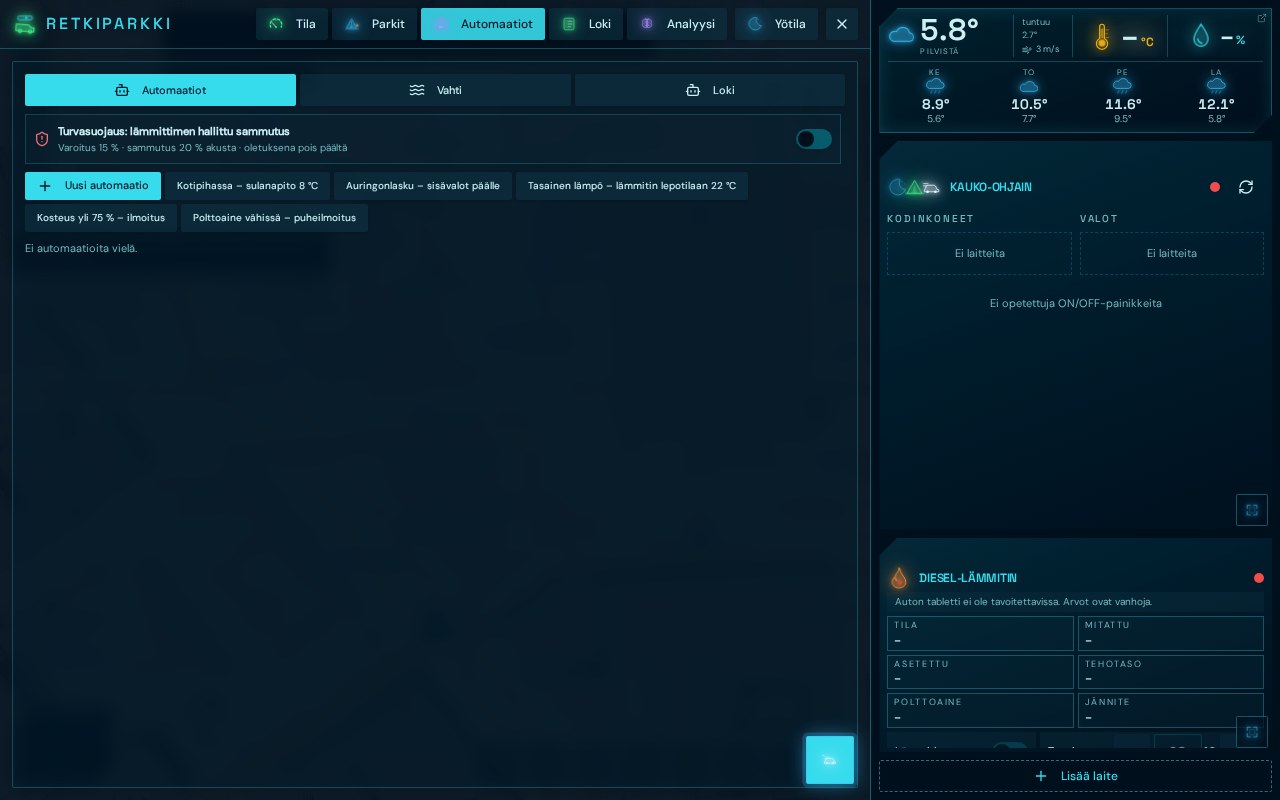
Automations
Examples: Night heat – below 17 °C inside, heater on at 19 °C. Fridge guard – above +6 °C turns on the plug. Battery guard cuts the inverter when the aux battery drops below 20 %. All rules are off by default.
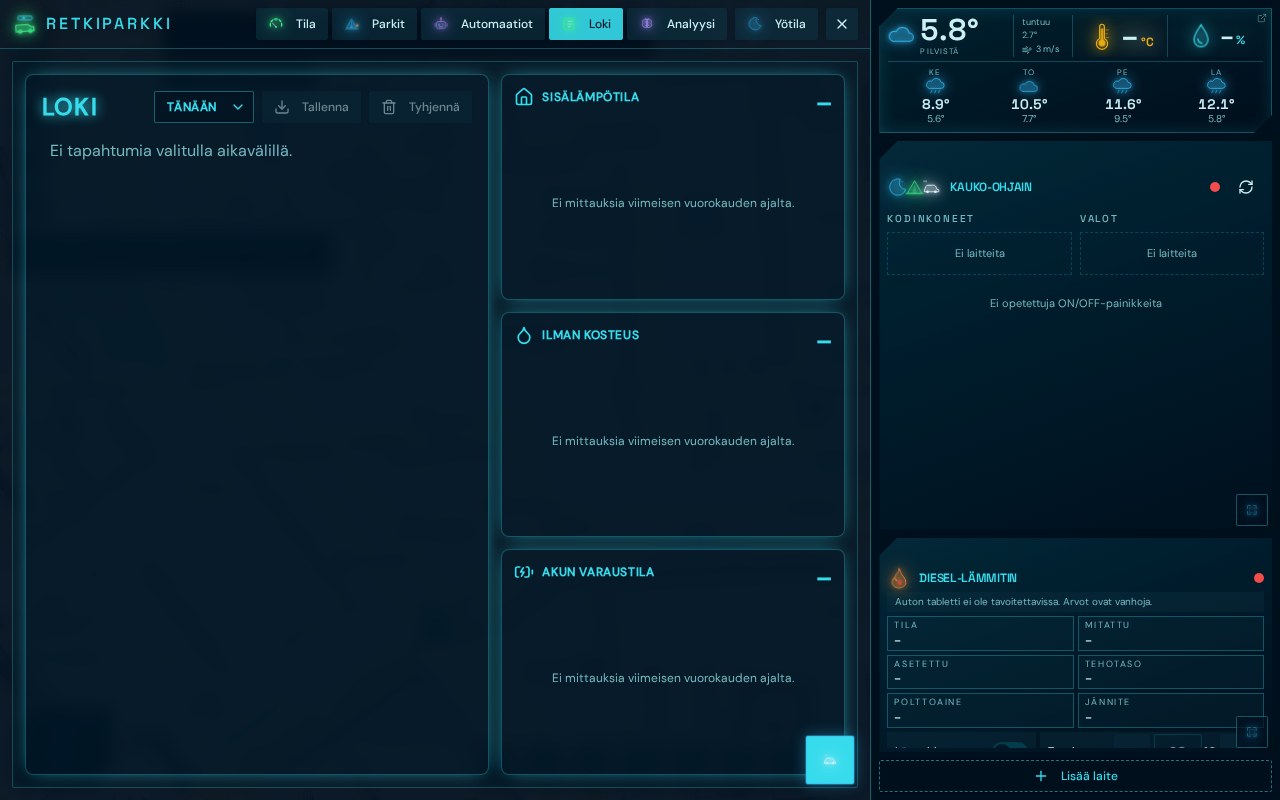
Log
Heater phases, automation triggers, outdoor temperature and humidity, and arrivals at camp spots are saved on a timeline. Charts show indoor temperature, humidity and battery level over the whole day.
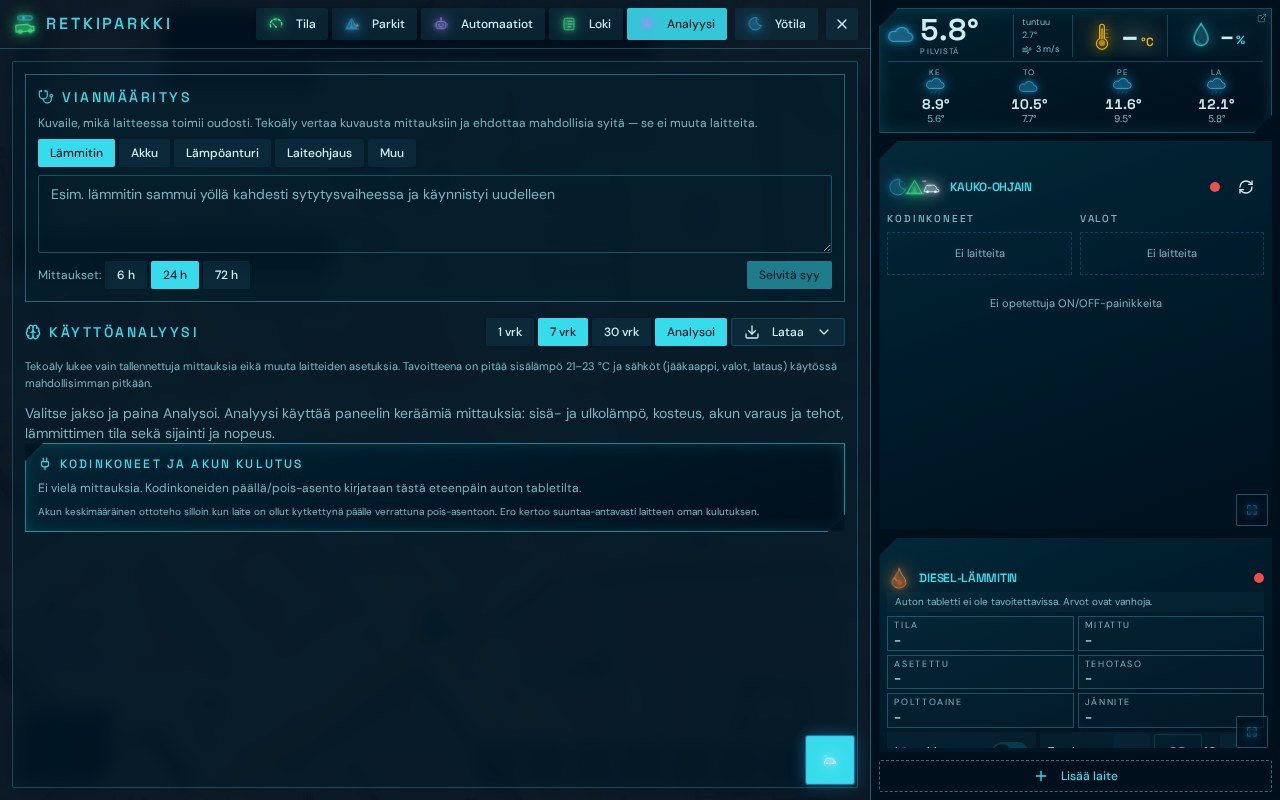
Analysis · PRO
Consumption is split per device and battery runtime is estimated from current usage. AI suggests savings, like lowering night heat by a degree, but never controls devices itself.
Each device connects in its own way and must support remote control. Here is what you need for a device to join the panel.
Automations and protections are off by default. AI only suggests.
The bridge buffers telemetry and keeps running with the screen off.
In-vehicle display, wall display, phone and home-screen widget.
Problems with devices, a feature request or another question? Pick a topic and write a message.
Email: info@retkuiluguru.app · Website: retkuiluguru.app
Basic use is free. The PRO subscription (€4.90/month or €49/year) unlocks unlimited devices, Home Assistant and Tuya, plus AI features (troubleshooting and usage analysis). Voluntary donations are separate.